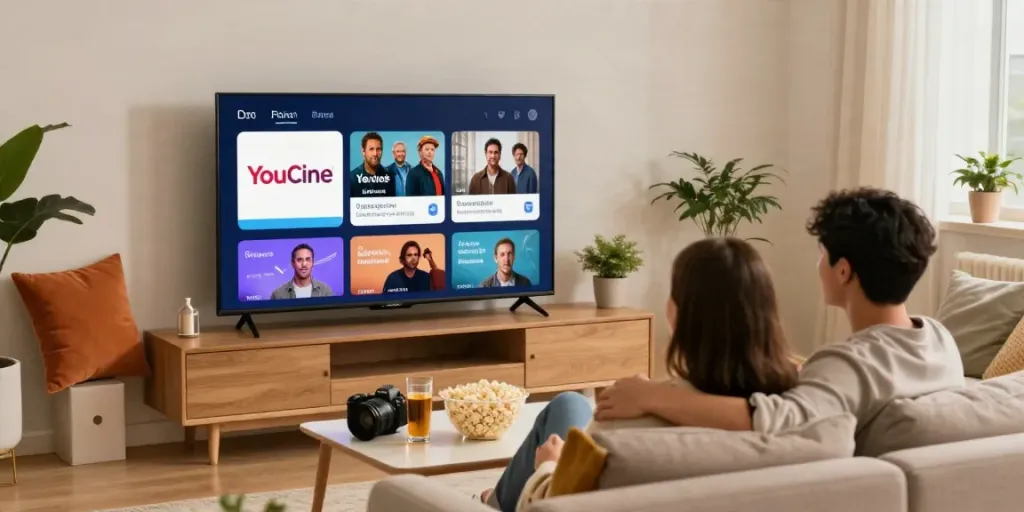
Understanding YouCine and Its Features
YouCine is a popular streaming application that has gained traction among movie and TV series enthusiasts. Designed to meet the demands of modern viewers, YouCine offers a robust platform that allows users to watch their favorite films, anime, and live sports from the comfort of their homes or on the go. As streaming services evolve in 2026, understanding YouCine’s offerings and unique features can greatly enhance your viewing experience. If you're looking to explore the latest trends in streaming, you can Download YouCine to dive into a world of entertainment.
What is YouCine?
YouCine is an all-in-one streaming application that allows users to access a diverse library of movies, TV shows, and live content. Its intuitive interface makes it easy for users to navigate through a wide range of genres, including action, drama, science fiction, and anime. YouCine stands out not only for its expansive content library but also for its user-friendly design, ensuring that viewers of all ages can enjoy their favorite shows without hassle.
Key Features of Download YouCine
- Vast Content Library: Access thousands of movies and TV episodes, including the latest releases and classic favorites.
- Multiple Streaming Options: Enjoy live sports, anime, and IPTV options that provide a fully-rounded entertainment experience.
- High-Quality Streaming: Watch in HD with minimal buffering, allowing for an uninterrupted viewing experience.
- User-Friendly Interface: Easily navigate through the app with a simple design that puts content first.
- Personalization Features: Create custom watchlists and receive recommendations based on your viewing habits.
Operating Systems and Device Compatibility
YouCine is designed to be compatible with a wide variety of devices and operating systems. This flexibility allows users to enjoy content on their preferred gadgets without any limitations. It supports Android devices, Smart TVs, PCs, and Firesticks, ensuring that you can watch your favorite content wherever you are. The app is optimized for Android 5.0 and higher, making it accessible for many users.
Benefits of Downloading YouCine
Convenient Access to Movies and Shows
One of the most significant advantages of downloading YouCine is the convenience it provides. Users can access a plethora of films and shows without the need for multiple subscriptions to various platforms. Everything is centralized within the app, making it easy to find what you’re looking for. This level of convenience saves not only time but also money, as you can find a wide variety of content for free or at a lower cost compared to traditional cable subscriptions.
Streaming Quality and User Experience
YouCine is designed with the user experience in mind, providing excellent streaming quality that adapts to your internet speed. Whether you’re on a high-speed connection or a slower network, YouCine adjusts the streaming quality to ensure minimal buffering and disruption. This adaptability contributes to a seamless viewing experience, allowing you to immerse yourself in your favorite content without technical interruptions.
How YouCine Enhances Family Movie Nights
Family movie nights can be transformed with YouCine's extensive catalog of films and shows suitable for all ages. The app's user-friendly interface allows family members of different age groups to search for and find content easily. With options ranging from animated films to exciting thrillers, everyone in the family can enjoy a movie night that caters to their preferences. This feature not only promotes family bonding but also creates lasting memories through shared experiences.
Installing YouCine: A Step-by-Step Guide
Downloading YouCine on Android Devices
To download YouCine on your Android device, follow these simple steps:
- Open the Google Play Store on your Android device.
- Search for "YouCine" in the search bar.
- Select the YouCine app from the search results.
- Tap "Install" to begin downloading the app.
- Once installed, open the app and follow the on-screen instructions to set up your account.
Setting Up YouCine on Smart TVs
Setting up YouCine on Smart TVs allows for a bigger-screen viewing experience. Here's how to do it:
- Ensure that your Smart TV is connected to the internet.
- Navigating to the app store on your Smart TV, search for "YouCine."
- Select the app and click "Download" or "Install."
- Open the app once the installation is complete and log in using your account credentials.
Troubleshooting Common Installation Issues
If you encounter issues during installation, consider the following troubleshooting steps:
- Ensure that your device meets the minimum requirements for the app.
- Check your internet connection for stability.
- Restart your device and attempt the installation again.
- Clear cache and data from your app store and try downloading again.
Exploring Content on YouCine
Genres Available and Recommendations
YouCine features a wide array of genres, catering to fans of all types. You can explore categories such as:
- Action
- Drama
- Documentary
- Anime
- Horror
For recommendations, the app utilizes algorithms to suggest content based on your viewing history, helping you discover new favorites effortlessly.
How to Use the Search Function Effectively
The search function in YouCine is designed to help users quickly find their desired content. To use it effectively:
- Utilize specific keywords or phrases related to the title or genre you are searching for.
- Explore filters to narrow down results by categories such as most recent, highest rated, or by genre.
Creating Watchlists on YouCine
YouCine allows users to create personalized watchlists to keep track of content they want to view later. To create a watchlist:
- While browsing, select the movie or show you want to add.
- Click on the "Add to Watchlist" option.
- Your selection will be saved in your profile for future viewing.
Future Trends: YouCine in 2026 and Beyond
Predicted Features and Enhancements
Looking ahead to 2026, YouCine is expected to incorporate several enhancements, including:
- Advanced recommendation systems powered by AI for personalized content suggestions.
- Enhanced streaming quality options, including 4K support for compatible devices.
- Additional social features allowing users to share watchlists and recommendations.
How Streaming Services are Evolving
The landscape of streaming services is rapidly evolving, with more platforms vying for viewer attention. Trends indicate a growing emphasis on unique content creation and better user engagement through interactivity and community features. As YouCine adapts to these changes, it aims to maintain its position as a preferred choice among streaming enthusiasts.
This Year’s Best Alternatives to YouCine
While YouCine offers excellent features, several alternatives provide unique content offerings. Notable mentions for 2026 include:
- Netflix - Renowned for its original series and films.
- Hulu - A great option for next-day TV episodes and diverse content.
- Disney+ - Perfect for families looking for classic animated films and new releases.
Is Downloading YouCine Safe?
Downloading YouCine from verified sources ensures a safe experience. Always check for authenticity and read user reviews to avoid malware or unwanted software. Using a trusted application like YouCine ensures the security of your device and personal information.
Can I Use YouCine on Multiple Devices?
YouCine supports multiple device logins, allowing you to switch between devices seamlessly. This flexibility means you can start watching on your phone and continue on your Smart TV without losing your place.
What Should I Do if YouCine Crashes?
If you experience crashes, first ensure that your app is up to date. Also, check for device compatibility and available storage. Restarting your device or reinstalling the app can often resolve these issues effectively.
How to Cancel YouCine Subscription?
To cancel your YouCine subscription, navigate to the settings section of the app, find 'Subscriptions', and choose the option to cancel your subscription. Ensure you confirm the cancellation to avoid being charged for the next billing cycle.